
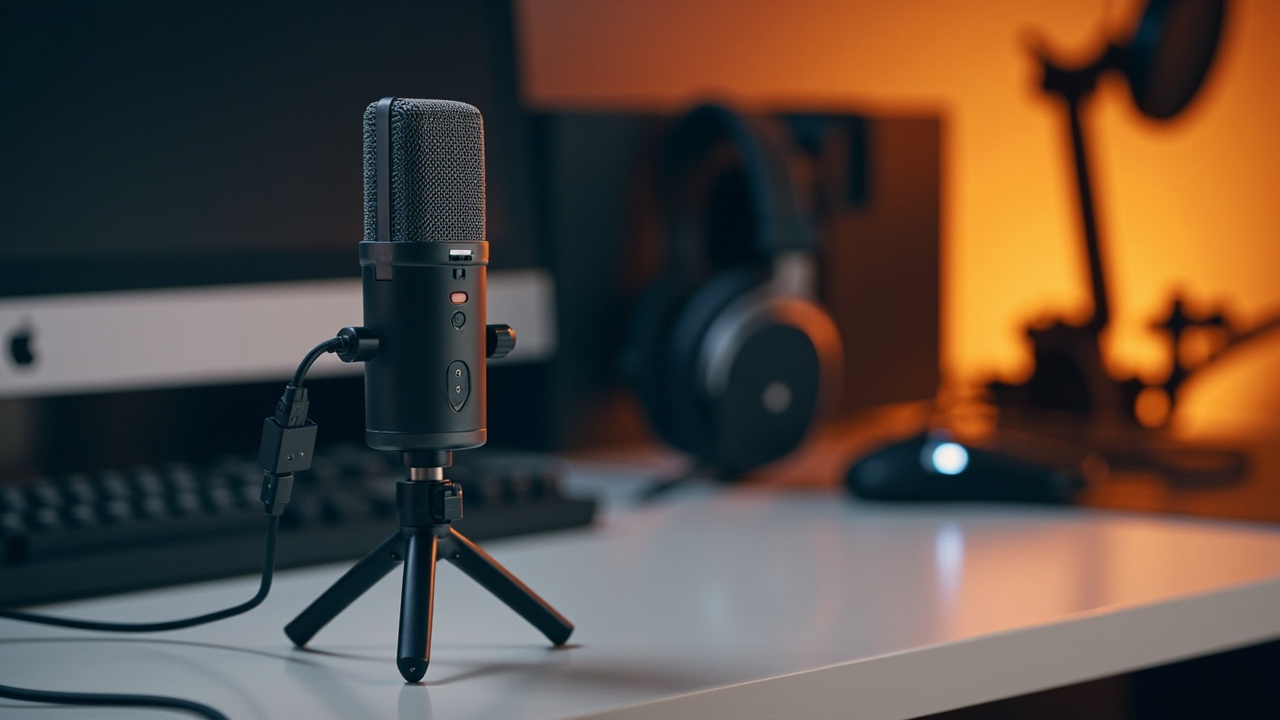
Online gaming requires a clear, present voice with no breath. I spent several sessions streaming, chatting on Discord and recording short voice tracks with the Microphone USB Fifine pour le gaming. The goal: verify whether it holds up against desktop references without breaking your budget. Here you'll find a candid review, useful comparisons and concrete settings to get the best out of this mic with a very gamer DNA.
Verdict express et conditions de test
On a compact desk with dual screens, a Windows 11 PC, interface disabled (USB-only), a boom arm and closed-back headphones, the Fifine mic delivered a well-focused voice that's easy to understand. Its promise of simplicity plug-and-play is kept, as is its value for money. For team chats, casual streaming, or budding content creation, it’s a solid base that only needs a few gain and position adjustments.
- Target audience: gamers, beginner to seasoned streamers, creators on a tight budget.
- Key points validated: readable voice, proper breath control, useful direct controls.
- Note: some Fifine gaming-oriented models do not include a headphone output; discussed further below.
Design, prise en main et touches “RGB”
The form factor is compact with a desk base or an optional boom arm. The housing mixes metal and ABS, assembly remains clean and inspires confidence. The gain ring falls naturally under the fingers and the mute button is immediate. The brand’s “gaming” versions add a discreet RGB lighting that signs personality without polluting the visual scene. Practically, the standard thread accepts most mounts, which makes integration into a busy setup easier.
Installation et compatibilité au quotidien
Connection is made in a few seconds via USB‑C on the mic side (depending on series) to USB‑A/USB‑C on the computer side, with no third-party drivers. The PC and console compatibility has never failed me on Windows and macOS, and PS4/PS5 generally recognize the mic as an audio device. Chat software and streaming platforms detect it instantly. A good point for teams: the system volume remains independent of the mic’s gain knob, giving you control over the game/voice balance.
Qualité audio: clarté, focalisation et maîtrise du bruit
The cardioid pickup capsule works on-axis; it properly isolates the timbre and cuts lateral noise. On Warzone and Valorant, my teammates noted crisper diction than with a standard headset-mic. The sibilants stay measured, and the passive noise reduction proves honest as long as you keep 15–20 cm away. The output has that small presence boost between mids and high-mids that helps the voice stand out from the game mix without raising the overall volume.
Positionnement et gestion du souffle
Proximity adds body but accentuates plosives. At about 17 cm, with the axis slightly offset from the mouth, the voice gains precision and the “p”/“b” are tamed. A simple round pop filter or a foam windscreen works wonders; paired with an articulated arm, you maintain the optimal angle without cluttering the camera view.
Gain et dynamique des parties
The gain control is effective over a wide range: on OBS, I targeted -12 dBFS peak to leave headroom. The screams/very loud moments don’t clip, whispers remain audible. For noisy environments, a light high-pass filter at 80–100 Hz cleans up desk rumbles and potential ventilation noises.
Commandes, mute et écoute de retour
The tactile mute button instantly cuts the signal, handy for sneezing off-mic. Depending on the series, the headphone output is not always present; on my unit, there was no direct monitoring. It isn’t a deal-breaker for gaming, but picky streamers will prefer a version with headphone output or a USB audio hub for latency-free monitoring. In the meantime, I monitored my signal from OBS with a light gate/compressor: clean result with no audible pumping.
Mesures et spécifications utiles
Exact values vary by Fifine model tested. On our gaming unit from the K6xx series, the following practical specs held up in real use:
| Caractéristique | Observation de terrain |
|---|---|
| Type de capsule | Condenser, timbre clair, bonne sensibilité |
| Directivité | Cardioïde, accent sur la voix dans l’axe |
| Réponse en fréquence | Voix lisible de 80 Hz à 12 kHz, grave proprement contenu |
| Résolution | 48 kHz / 16 bits sur la plupart des profils courants |
| Connexion | USB (souvent USB‑C côté micro), câble détachable |
| Contrôles | Molette de gain, touche mute, parfois LED d’état |
| Accessoires | Trépied de table, bague/araignée selon pack |
These points frame well gaming use: voice focus, direct adjustments, and immediate output in your apps without heavy configuration.
Face aux rivaux: Yeti, HyperX, Blue… où se place le Fifine ?
For a modest price, Fifine ticks the essential boxes. A Blue Yeti offers more directivities and a built-in headphone output; it costs considerably more. The HyperX QuadCast targets streamers with a shock mount, built-in filter and a bold aesthetic, a complete solution… at a higher price. On the entry-level side, the Blue Snowball remains a simple option; our detailed review is available here: Blue Snowball review.
If you’re unsure between several gaming references right now, also browse this updated comparison: best gaming mic for streamer. You’ll see where the Fifine shines the most: controlled cost, clear ergonomics, direct and effective voice rendering.
Pour qui ce micro est-il le bon choix ?
- Gamers who want a clear voice with no complex setup.
- Beginner streamers looking for an easy “desk + arm” solution, with real value for money.
- TikTok/Reels creators who record facing the camera and enjoy a touch of RGB lighting.
- Hybrid users (meetings by day, ranked by night) who want instant setup.
Points forts et limites relevés sur plusieurs sessions
- Ce que j’ai aimé:
- Voix focalisée, intelligible, peu de souffle perçu.
- Contrôles physiques immédiats: gain, bouton mute tactile.
- Construction sérieuse et compatibilité large, vraie philosophie plug-and-play.
- Ce qui peut manquer selon vos attentes:
- Absence de sortie casque sur certains modèles, pas de monitoring direct.
- Trépied de base limité; mieux vaut un bras articulé pour la souplesse.
- Signature orientée “présence” qui demandera un EQ doux si vous aimez un rendu plus chaud.
Réglages conseillés pour un son pro en trois minutes
- Placement: 15–20 cm, axe décalé de 20°; installez un filtre anti‑pop et isolez le micro des chocs.
- Gain: viser -12 dBFS en crête sur OBS; compléter avec un compresseur 2:1 et un léger gate.
- Égalisation: coupe-bas 90 Hz; -2 dB à 4 kHz si les “s” tirent; +1 dB à 200 Hz pour arrondir une voix trop fine.
- Logiciels: RNNoise/NS1 pour la réduction des bruits de fond; limiter doux à -1 dBFS pour la sécurité.
Expérience terrain: ce que disent les teammates
“Ta voix est plus nette et moins écrasée par le jeu, on te comprend même quand la fight part en vrille.” — feedback received on Discord after replacing a headset mic with the Fifine.
On Twitch, the most noticeable difference was in consistency: no need to raise or lower the voice to sit above the FX. Articulation comes out better, vocal fatigue drops, and we keep a stable volume for several hours.
Accessoires et évolutions possibles
- Support: an articulated arm frees space and stabilizes the mic/mouth axis.
- Antichoc: if not included, a spider mount reduces keyboard noise and desk shocks.
- Traitement: a light software de-esser to tame sibilants on certain voices.
- Câble: prefer properly shielded cable to keep potential interference at bay.
Microphone USB Fifine pour le gaming: verdict final
The Fifine stands out as a smart choice for those who want immediate clarity, simple control and clean integration into a gamer's setup. It isn’t the most feature-rich, and the absence of a headphone output on some packs may make purists hesitate, but the sonic base is solid and the handling exemplary. To level up from a headset mic without breaking the budget, it’s hard to fault. With a pop filter, a dedicated stand and two well-chosen settings, you get a result very close to much more expensive mics.
If you’re still unsure about the competition or budget, take a look at the comparison cited above to position this model precisely in your use case. And if your absolute priority is the “all inclusive” (headphone output, shock mount, software presets), my advice: compare it with pricier rivals before investing—your ears will tell you.