
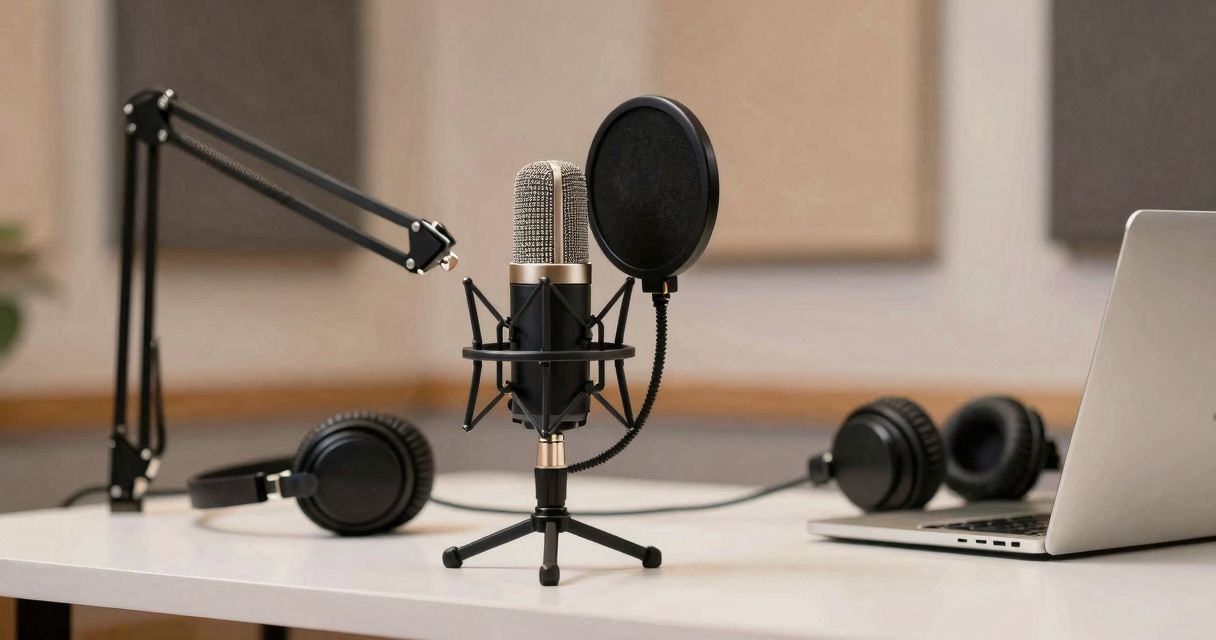
An FIFINE microphone well chosen changes the game for home studios as well as improvised offices. Voices gain articulation, breaths blend behind the message, and the message passes without friction. This guide recounts field experience conducted with podcasters, streamers and videographers, in search of a clear sound without an exorbitant budget. As the sessions unfold, one constant emerges: between ease of use and coherent rendering, these models offer a fast track to reliable capture for content creators.
FIFINE Microphone: The Fast Track to Pro Sound
The promise rests on three points: solid build quality, a voice-oriented sonic signature, and a measured price. On a desk, the microphone stays stable, the controls are accessible with a gesture, and the digital conversion remains clean. Users moving from a gaming headset to a desktop mic gain immediate intelligibility. For beginners, the learning curve is short, with no audible compromise. The value-for-money is the trump card, especially when you record often and every minute saved during setup counts. The USB plug‑and‑play protocol avoids capricious drivers and perilous configurations.
Flagship models and recommended uses
To help navigate, here is a condensed panorama of the references most favored by the community and tested across several formats (solo interview, remote duo, live session, video voice-over). Each model has its personality and suits a specific context.
| Model | Type | Connection | Key points | For whom |
|---|---|---|---|---|
| K669 (and variants) | Condenser | USB | Clear voice, simple adjustments, desk-friendly | Tutorials, meetings, first steps in podcasting |
| K669L | Condenser | USB | Increased stability, accessible gain control | Regular creators, narration, voice-over |
| K670 | Condenser | USB | Premium finish, well-made accessories | Clean desk setups, webinars, presentations |
| K658 | Dynamic | USB | Better handling of noise, live features | Live platforms, gaming, talk-show |
K669/K669L : An effective entry point for voice
For spoken takes, these desktop mics are straightforward, with a cardioid directivity that centers listening on the mouth. Presence in the mids gives body to timbres without harshness. The K669L adds a gain control on the front, convenient to maintain a margin before clipping when a guest gets animated. Placed at 15–20 cm, paired with a foam windscreen, you get a warm and controlled rendering. Keyboard noises persist if you type hard, but drop noticeably as soon as you raise the mic on a boom and point the rear toward the interference source.
K670 : Finish and comfort in use
This model stands out for its neater presentation and well-thought-out accessories. The buttons are within easy reach, the base is stable, and the whole unit withstands daily handling. For users who run through meetings, webinars and voice-overs, it's the quintessential “clean desk” setup. The signal remains crisp, slightly bright in the upper end of the spectrum, useful for cutting through in a video mix without heavy processing.
K658 : designed for live use
With a dynamic capsule and instant controls, this mic minimizes issues in a lively environment. The presence boost puts articulation forward, the breath stays low, and transient handling avoids harshness. The latency-free monitoring via the headphone output helps keep a constant level, especially when streaming. The mute button and indicator light provide immediate visual feedback, useful when running a multi-source scene. On Discord, Twitch or YouTube Live, the voice remains readable even with a noisy PC nearby.
Getting started and essential settings
Unboxing, USB cable, recording software or videoconferencing platform: the setup takes just a few minutes. In the system's audio preferences, select the corresponding input and set the recording volume to target a peak around roughly -12 dBFS. This balance point provides headroom and avoids clipping in case of laughter or higher-intonation. A light high-pass filter eliminates desk rumble. On a desk, a foam windscreen limits plosives; on a boom, add a pop filter for a more consistent result.
Windows/macOS configuration
- Choose the USB device as input and output (to monitor yourself if needed).
- Set the system volume around 70%, finalize the gain on the mic.
- Disable the “auto” enhancements in videoconferencing apps that color the rendering.
Distance and mic technique
- Keep 15–20 cm between mouth and capsule, slightly to the side to attenuate plosives.
- Aim for a stable posture: elbows rested, eyes level with the script, steady breathing.
- Test a short take, listen back on headphones, then lock the level and the position.
Field tests: studio, living room and live
In a treated room, condensers reveal a fine delicacy in sibilants and phrase tails. In a lively living room, the K658 maintains a clear edge over the whirr of fans and street noise. With a mechanical keyboard, mic orientation changes everything: the capsule angled about three-quarters toward the mouth, keyboard off-axis, and the noise drops by several dB. For two voices, we recommend two separate mics rather than one omni; crosstalk is easier to manage in post, and the timbres stay distinct.
On a live capture, level stability is paramount. A very soft software limiter protects listeners' ears, and a bell-shaped EQ around 200–300 Hz cleans up the mud of small rooms. FIFINE microphones handle these light treatments without flinching. When the environment is noisy, a dynamic like the K658 offers real off-axis noise reduction; conversely, in a quiet home-studio, a condenser K669/K670 yields more air and detail in diction.
Compared to the competition: what FIFINE offers
Compared to consumer-grade references, FIFINE bets on simplicity and consistency of sound. A Røde NT-USB Mini or a HyperX with flashier looks may appeal with its appearance and certain options, but FIFINE's midrange density and ease of adjustment have convinced several regular speakers. In long sessions, the absence of hiss and of fatiguing peaks saves post-production. The ecosystem does not require a proprietary app; those who prefer OBS, Audacity, Reaper or Premiere stay in their comfort zone.
Accessories, placement and installation
The included stand is enough for a quick fix, but a stable setup benefits from being elevated off the desk. An articulating arm frees space, reduces handling noises and positions the mic at the right height. An external pop filter complements a foam windscreen usefully. The elastic rings reduce vibrations transmitted by the table; a mat under the keyboard further dampens the mechanical clack. A mid-range articulating arm often suffices, as long as the clamp remains reliable and cable routing does not hinder rotation.
- Allow at least 10 cm between the capsule and the pop screen.
- Isolate the PC from the mic (under the desk or behind a foam panel).
- Route the cable away from power supplies to avoid interference.
Audio engineering tips to elevate your voice
A spoken voice benefits from gentle processing. Start with a light high-pass around 80–100 Hz to remove rumble. A very narrow bell around 4–5 kHz adds clarity if needed; avoid heavy boosts in the highs that emphasize sibilants. A compressor at a moderate ratio (2:1) smooths levels. A subtle de-esser quiets sibilance without smoothing the character. On the output, a limiter at –1 dBFS ensures safe distribution. This short chain is suitable for podcasting, voice-overs and online masterclasses.
Light software processing
- Gate with a prudent threshold to cut ambient noise between phrases.
- Soft compressor with moderate attack to preserve naturalness.
- Targeted corrective equalization, never systematic: treat what you hear.
Live flows and interactions
For streaming, moderate monitoring helps to set the voice, and a visual mute cue avoids accidents. Multi-guest scenes benefit from a consistent LUFS normalization; we align all sources in the same perception zone. FIFINE microphones keep a readable personality after global compression, without annoying pumping.
Which FIFINE mic for your profile?
Solo, tight budget, quiet room: the K669 gets the job done with a pleasant and predictable rendering. Recurrent narration, voice-over, need for a direct adjustment at hand: the K669L reassures with its ergonomics. Regular streaming, busy desk or noisy rig: the K658 stands out for its noise handling and its instant controls. In all cases, good placement and a short preparation routine outweigh a miracle plugin. Prepare your room, set the levels, record a five-minute test, then run. Consistency comes first; the audience perceives it and stays.
At the end of these tests, the brand confirms its place as an ally for rational set-ups. The microphones deliver what they promise: readable voice, easy workflow, and a healthy base to dress your content. If your priority is clear narration with sober and reliable equipment, you are in the right place to build your audio channel on solid foundations.