
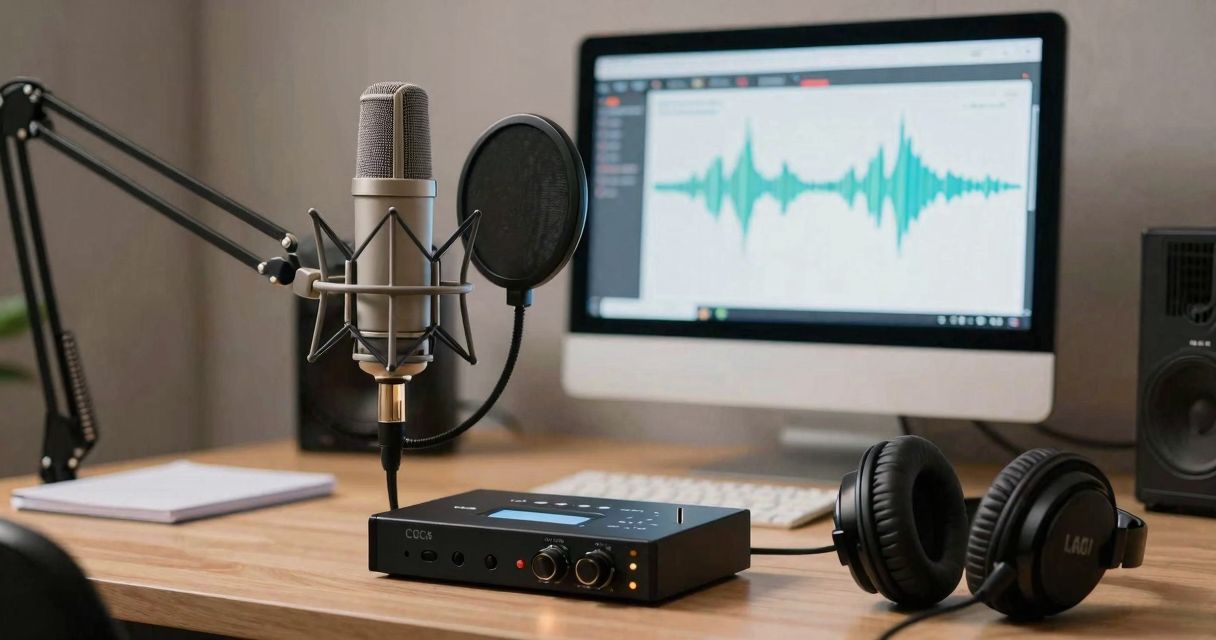
You’re hosting a live show, a Twitch stream, or a radio panel and you’re looking for a voice changer mic tailored for 2026? The goal isn’t just to entertain, but to stay intelligible, stable and glitch-free for the listener. Between dedicated hardware and software solutions, the real question is reliability on air, signal management and latency. I’ve gathered here feedback from the control room, concrete use cases, and a comparison of current references to help you choose the solution that will resonate with your format.
Voice changer mic 2026: the decisive criteria for a clean live performance
A good vocal modifier is not just a effects box. It must guarantee a credible transformation (e.g., robot, old-school radio) while preserving articulation. The pitch shifting and formant algorithms must remain musical, even with rapid speech. The second pillar is the workflow: footswitch, pads, presets, mute button, everything that avoids gymnastics in the middle of a take.
Third pillar: the audio chain. XLR inputs and mini‑jack for intercom, headphone output with latency-free monitoring, and real DSP processing (high-pass filter, gate, compressor, de‑esser) to contain reverberant components and pops. A stable power supply, reliable drivers and 48 kHz output if you broadcast on video platforms.
On-set ergonomics
Live requires a clear interface: instant‑recall presets, a well‑dimensioned level encoder, readable visual feedback, on/off of effects without an audible click. Models with illuminated pads and savable scenes save precious seconds between two takes.
Compatibility and connections
On a mixer or interface, prefer stereo if you stack music + voice. In USB, ensure a robust USB-C connection and a low‑latency driver. On the routing side, some solutions include a mix‑minus for remote guests and audio routing via virtual buses for OBS, Zoom or Discord.
Dedicated hardware or software: which architecture for a reliable live?
Dedicated hardware (processors, interfaces with effects) remains the most stable. The audio travels through optimized circuits and the availability of effects does not depend on a capricious CPU load. Software (Voicemod, real‑time plugins) offers crazy creativity, but require a properly sized machine and careful configuration to fit on screen without artifacts.
My experience: for a professional workflow, I use hardware for the base (tone shaping, soft pitch) and add an optional software layer for event colors. If the PC stalls, the voice stays clean. It’s the philosophy “thanks to the mix-minus, whatever happens, we hear each other clearly.”
Express comparison 2026: processors and interfaces with real-time voice
| Model | Type | Strengths | Perceived latency | Ideal for |
|---|---|---|---|---|
| Roland AIRA VT‑4 | Voice transformer | Musical pitch/formant, robot, hard-tune, instant presets | Very low | Solo streamer, host, mobile setup |
| TC‑Helicon GoXLR | Interface + effects | Pads, samples, megaphone/voice, full PC routing | Low | Multi‑source streaming, talk shows |
| RØDECaster Pro II | Studio console | APHEX, voice FX, pads, multi‑bus, rich connectivity | Very low | Live podcasts, hybrid setups |
| Maonocaster AME2 | Compact console | Fast vocal effects, simple mix, portability | Low | Nomad creators, TikTok/IG Live |
| Voicemod + interface | Software + I/O | Effect bank, advanced customization, OBS integrations | PC dependent | Creative lives, evolving gaming |
USB microphones with built-in effects: the plug-and-play path
Some USB mics include a processing chain: a quick detour to color a voice without an external processor. You gain simplicity, you lose fine-tuning and scalability. For individual streaming, pair a clean USB mic with well‑tuned effects software, then keep a physical bypass button to instantly return to the natural voice.
Need a solid and affordable starting point for streaming? A test like the Fifine USB microphone for gaming gives a clear idea of breath control, directivity and plosive rendering in this segment.
Live chain: connections and settings that make a difference
A 'modified' voice is still a voice: it must sit cleanly in the mix. Set the gain stages, filter below 80–100 Hz, apply a light compressor (2:1) to smooth the swings and a discreet reverb to fit the soundscape. In an untreated studio, favor a cardioid dynamic microphone, keep 5–8 cm away with a pop filter and slight off-axis pickup.
- Sample rate 48 kHz recommended for live video.
- Peak at −12 dBFS to avoid clipping during screams or laughs.
- Turn off OBS monitoring to keep only the interface’s latency-free monitoring.
- Tune the mic’s directivity to control the ambiance: reference here: mastering microphone directivity.
Field feedback: what I observe in control rooms
At a festival, a well‑tuned vocal transformer holds up if the technician locks three things: isolated power supply, memorized effect scenes, and constant output level. The audience perceives the effect, not the technique. As soon as you start tweaking constantly, diction deteriorates and the joke falters. Better two safe presets than ten gadgets.
On Twitch, the recurring pitfall remains CPU load. An extra browser tab and latency climbs. My rule: critical effects in hardware, fun layers in software, with a shortcut to cut the effect if the PC stutters. And always a 'clean' scene ready on the processor, just in case.
Minute checklist before opening the mic
- Check input/output levels, background noise, and power supplies.
- Test each preset and its switch: clicks, tonal balance, volume.
- Confirm audio routing to OBS/Zoom and echo disabled on guests’ side.
- Speak a quick sentence with plosive consonants; adjust the filter and gate.
- Define a “panic” button: global bypass or hardware mute.
Which voice changer mic for your use?
Solo streamer
A compact voice transformer or an interface with effects is enough. Priority to quick-access controls and clean headset monitoring. The interface+software combination remains viable if you manage the machine load and keep a safe preset accessible.
Live podcasts and shows
Console with multiple buses, pads and a robust power supply. The effects are dosed: a radio grain, a narrative color, rarely full cartoon. The multi‑bus helps manage guests, stingers and stage returns without feedback.
Stage and event work
Prefer autonomous hardware, foot-pedal controllable, with balanced outputs and lockable presets. The road is tougher: metal enclosures, secure jacks, and a true analog bypass in case of trouble.
Nomad creators
Small battery/USB console, compact footprint and clear presets. The goal: record anywhere, without sacrificing diction. A well-targeted dynamic microphone will do more for readability than any spectacular effect.
Tips for adjusting a transformed yet intelligible voice
- Limit the pitch shifting delta to ±3–5 semitones to preserve articulation.
- Correct the formants to avoid the 'helium' or 'hollow' effect.
- Apply a light boost around 2–4 kHz to restore presence after processing.
- Maintain the same LUFS across each preset to avoid level swings.
- Plan a “dry” preset for important announcements, and a “light color” for the on-air background.
Need a mic base before the effect? Two practical benchmarks
The vocal transformer magnifies what you feed it. A clean capsule, controlled sound capture and a reasonably treated environment remain priorities. If you’re starting out, a proper USB mic, well driven, is better than a poorly powered XLR and over-compressed. The day you move to a more evolved audio interface, your effects will sound more natural.
To visualize the rendering of USB mics popular among streamers and to position your starting point, this field test can help set your expectations: Fifine USB microphone for gaming.
Ethical and practical aspects
Imitating an identifiable person can be problematic without explicit consent. Keep your effects within the creative or parody register and be transparent with your guests. On safety, avoid masking your voice identity during sensitive exchanges. The goal remains to entertain or tell a story, not to deceive.
Quick verdict: which one to choose for live?
Want serenity? A dedicated hardware processor with DSP processing, immediate bypass, symmetrical XLR outputs and lockable presets remains the safest choice. In creative streaming, the hardware+software hybrid unlocks an infinite palette, provided you monitor latency and have a plan B. Whatever the tool, anchor the voice in the mix with gentle EQ, a moderate compressor and reverb control; the show improves, and listening too.