
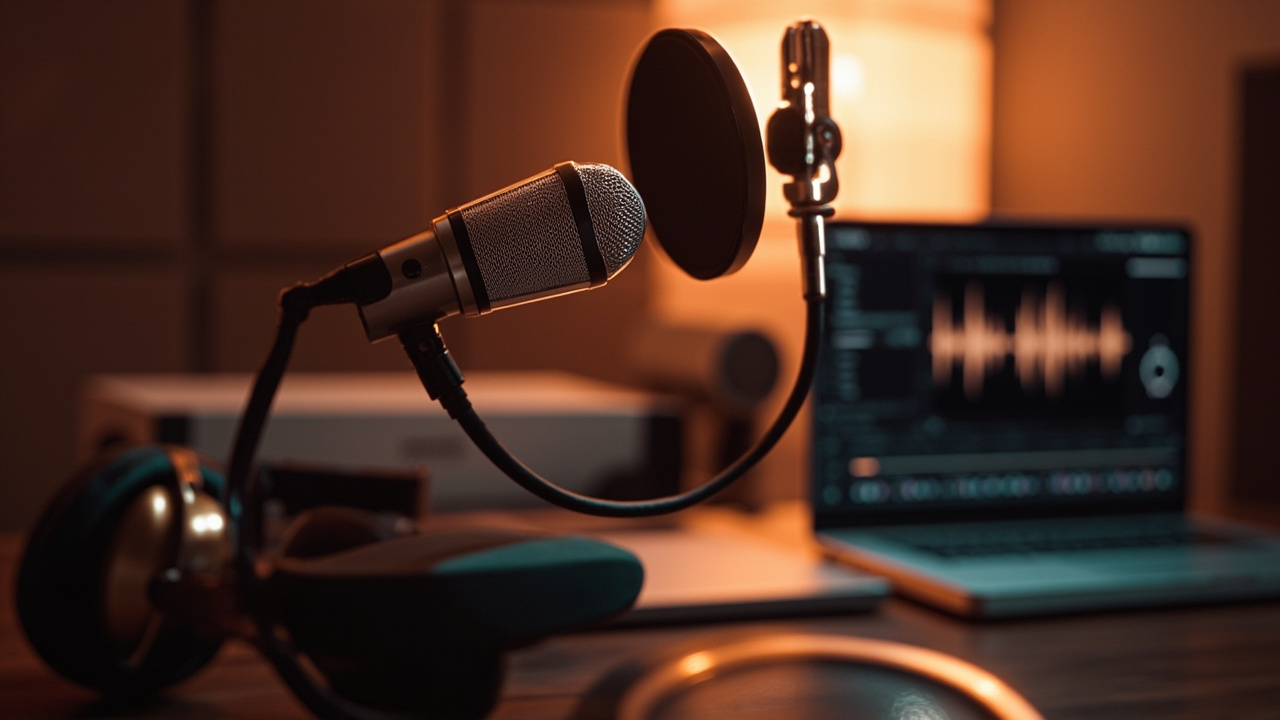
The mic test is not a formality. It’s an on-set, studio, or virtual-room ritual that conditions the clarity of a voice, the credibility of a message, and listening comfort. This guide covers the essential steps to validate your recording, diagnose issues in minutes, and start with confidence, whether you’re in a videoconference, in a podcast, in a live broadcast, or in front of a room.
Minimizing Bad Surprises: The Goal of Rigorous Audio Control
When working in image or sound, you don’t leave quality to chance. The test serves to verify the entire chain: microphone, cable, interface, software, monitoring. This process allows anticipating interference noises, saturations, a latency too high or an inconsistent volume between speakers. The aim isn’t to check a box, but to obtain a clean, coherent and reproducible signal.
Performing a Reliable Microphone Test: Field Method
I’ve been using this protocol from documentary shoots to live recordings. It consists of three blocks: preparation, adjustments, validation. Each block includes simple actions that prevent 90% of common incidents.
1) Prepare the environment and permissions
Turn off non-necessary sources: air conditioner, notifications, fan. Close programs that might occupy the mic. In the system settings, ensure the application has access rights. In the browser, check site permissions and open a blank page to limit tab conflicts.
2) Cabling, Power, and Selecting the Right Peripheral
Visually inspect connectors and cables. Select the correct input device in your application (macOS, Windows, OBS, DAW). Condenser microphones require enabling the 48 V phantom power. If the source is powerful (amplifier, snare drum), engage the built-in pad attenuator or on the audio interface to protect the preamplification stage.
3) Calibration: set the gain without distortion
Speak at the actual performance level, at the usage distance. Turn up the gain until you obtain peaks around -12 dBFS with headroom for loud passages. This is your base gain staging. If you observe uncontrolled peaks, move the mic slightly closer and lower the gain: better signal-to-noise ratio, less saturation.
4) Placement and Directivity
Position the mic slightly off-axis (30–45°) to soften plosives. Adapt the capsule to the scene: a cardioid directivity isolates the frontal voice, an omni captures the ambience, a figure‑8 isolates two sources face to face. Adjust the distance: 10–15 cm for spoken voice with a pop filter, more if the voice projects strongly.
5) Real-time validation
Enable the monitoring with a good headphone return. Listen for 30 seconds of normal speech, then for explosive consonants (“P”, “T”, “K”), sibilants (“S”, “Ch”) and a whisper. You should hear a natural timbre, with no obvious breath or metallic resonance. Note any artifact for immediate correction.
Field tip: snap your fingers, a single clap, then three claps. This reference helps measure synchronization and detect a phase inversion between sources.
Interpreting Measurements Correctly
A good diagnosis relies on simple indicators. There’s no need to multiply plugins if the ear and a few key measurements already respond.
| Indicator | Target value | Action if out of range |
|---|---|---|
| Peak level | -18 to -10 dBFS | Adjust gain or distance |
| Average level (RMS) | -24 to -18 dBFS | Stabilize the projection, equalize |
| background noise | Very low and stable | Treat the room, adjust angle |
| Plosives / Sibilants | Controlled | Off-axis + filter / light de-esser |
| latency | Low and constant | Reduce the buffer, go wired |
| Tonality | Natural, detailed | Equalize gently if needed |
If you’re working in video, set the 48 kHz sampling rate to avoid audio/video offsets. For a music take, check the sound pressure level (SPL) tolerated by the capsule and adjust the distance or attenuation.
Dépanner vite: les soucis récurrents et leurs remèdes
- No signal: wrong device selected, defective cable, power supply off. Check each link, one by one.
- Signal too weak: capsule too far, noisy preamp. Bring the source closer, optimize the gain, try a cleaner preamp.
- Buzzing or hums: ground loops, noisy USB power. Try another port, a powered hub, or isolate the ground if safe to do so.
- Digital pops: buffer too low, CPU saturated. Slightly increase the buffer size, close background apps.
For a detailed approach on the causes and remedies, check out this DIY guide on background noise at the microphone: bruit de fond au micro.
Tester sur Discord, Zoom et OBS: le workflow qui évite les pièges
Discord: régler la détection et la sensibilité
- Settings > Voice & Video > Micro: choose the correct input and run “Check Microphone.”
- Disable noise reduction if it doubles processing already active on the OS side, or leave it on if the environment is very noisy.
- Adjust input sensitivity: automatic works, but a manual threshold avoids word cuts with soft voices.
- Test a private call and listen to the recorded return, not just the vu-meter.
Zoom: Level Consistency
- Audio > Micro: uncheck “Automatically adjust volume” if you are recording a feed regulated to the mixer.
- Enable the “Original Sound” mode to preserve transients in music.
- Do a local two-minute recording and listen on closed-back headphones.
OBS: monitoring et sécurité anti-clip
- Configure the mic input, add a soft limiter at -3 dB and a high-pass filter at 80–100 Hz.
- Monitor the vu-meter during a real strong passage, not just a test phrase.
- Validate the absence of clipping in the recorded timeline.
Choose the verification tool suited to your use
For quick checks, an online test site with a VU meter is enough. For finer analysis, a DAW (Audacity, Reaper, Pro Tools) reveals hiss, transients and phase. Some portable recorders offer an alignment tone and mechanical VU meters, very useful in field reporting.
| Tool | Strong point | When to use |
|---|---|---|
| Navigator + quick test | Simplicity, instant | Meetings, express check |
| DAW (Audacity/Reaper) | Fine analysis, editing | Podcast, voice-over, music |
| Portable recorder | Autonomy, reliability | Field, documentary |
Whichever tool you use, keep the same discipline: correct input selection, peak measurement, critical listening with headphones and validation with a short take.
Pro quality: easy-to-apply engineering tips
- Work the space: absorptive materials on early reflections, rug on the floor, heavy curtains behind the source.
- Maintain a stable distance and clear articulation; the best way to smooth the level remains vocal technique.
- Use the high-pass filter to clean out the sub-bass from footfalls, air conditioning or traffic.
- Compress with restraint: low ratio, moderate attack, natural release to preserve the grain of the voice.
- Avoid excessive in-line processing: better to have a clean signal at the source than a stack of fixes.
Cas concrets du terrain: erreurs fréquentes et solutions
On a corporate shoot, a guest spoke very softly. Rather than pushing the preamp (which added hiss), we brought the capsule closer, tilted the mic off-axis, and lowered the gain. Result: clear articulation, discreet sigh, zero distortion.
On a live musical, the snare was saturating despite a pad engaged. The solution was placement at 45° toward the edge of the drum skin and a second pad at the preamp level. The energy preserved, distortion disappeared. The lesson remains the same: mic well placed first, processing afterward.
Express Checklist Before Pressing Record
- Access permissions and correct device selected.
- Cable checked, no play at the connector.
- Audio interface configured to the correct sampling rate.
- Levels set to -12 dBFS on typical peaks.
- Pop filter in place, off-axis position.
- Headphone return validated, no crackling.
- Latency acceptable for comfortable speaking.
- Room silence assessed, background noise controlled.
- Test file recorded and listened from start to finish.
Going Further: Understanding Your Microphone to Test It Better
Mastering directivity, sensitivity and coloration helps to make the right diagnosis. A close cardioid will give more proximity effect than an omni; a dynamic will require more gain but will tolerate noisier scenes better. To refine your technical choices, dive into this dossier on microphone directivity and keep handy the guide on background noise at the microphone.
Notes Specific to Microphone Type
Large-diaphragm condensers excel at voiceover, provided a treated room and stable 48 V phantom power. Stage dynamics handle higher sound pressure levels (SPL) better and isolate the source. Lavalier mics require particular care with fabric friction: a small piece of foam or a discreet windscreen often solves the problem.
In a home studio, start at 48 kHz, keep a reasonable buffer to limit latency, and check phase coherence if you use multiple sources. A simple phase inversion on one of the tracks can save a voice‑guitar duo.
Why This Protocol Works in Real Life
Because it’s built on listening before measuring, and the source before processing. Each step touches a critical link: the speaker’s voice, the acoustics, the capsule, the preamp, the conversion, the software session. An isolated problem early on avoids compensating for it later with a chain of effects. The consistency of your workflow is felt on-air and in headphones.
Actionable Summary
Before each take, secure the technique (device, cables, permissions), calibrate the input levels, validate with headphones, take a short capture and listen back. Keep one eye on the peaks, another on the room, and a third, imaginary, on the comfort of the speaker. Your audience does not hear your settings; they perceive the fluidity of the message.
If this guide helped you, bookmark it and create your own minute-by-minute procedure. With repetition, control becomes a reflex, and your sound gains elegance day after day.